 Ancient Gamer Audio
Hear them before they hear you.
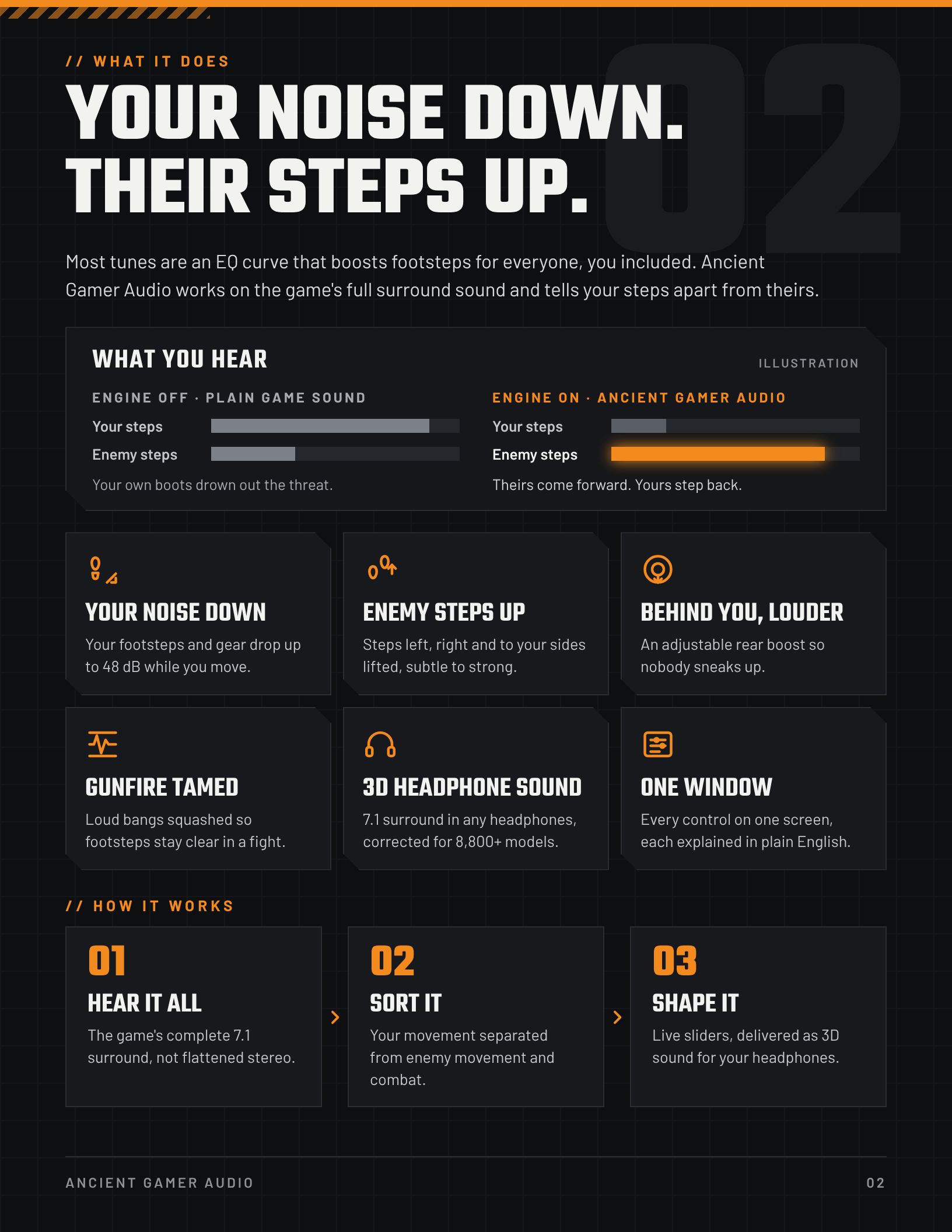
Your noise down. Their steps up. Ancient Gamer Audio works on Call of Duty's full 7.1 surround sound, tells your footsteps apart from theirs, and delivers it as clear 3D sound in any headphones.
Your noise down. Their steps up.
The same few seconds of a match. Without AGA, the enemy's footsteps hide under your own movement and the room noise. With AGA, your noise drops away and their steps stand out.
Illustration of what Ancient Gamer Audio does, not a measurement of a specific match. Hear the real thing in the clips below.
Same moment. Two sounds.
🎧 Put on headphones. Every clip plays the same seconds twice: AGA OFF, then AGA ON. Both halves are volume-matched, so what you hear is clarity, not just louder sound.
Recorded on a normal PC, in real matches.
No added effects: one recording, captured twice at the same time, with and without Ancient Gamer Audio. Listen for the footsteps you missed the first time.
Every sound that matters, right where it is.
Your noise down
Your own footsteps and gear drop up to 48 dB while you move.
Enemy steps up
Steps to your left, right and sides lifted, subtle to strong.
Behind you, louder
An adjustable rear boost so nobody sneaks up.
Gunfire tamed
Loud bangs squashed so footsteps stay clear in a fight.
3D headphone sound
7.1 surround in any headphones, corrected for 8,800+ models.
One window
Every control on one screen, each explained in plain English.
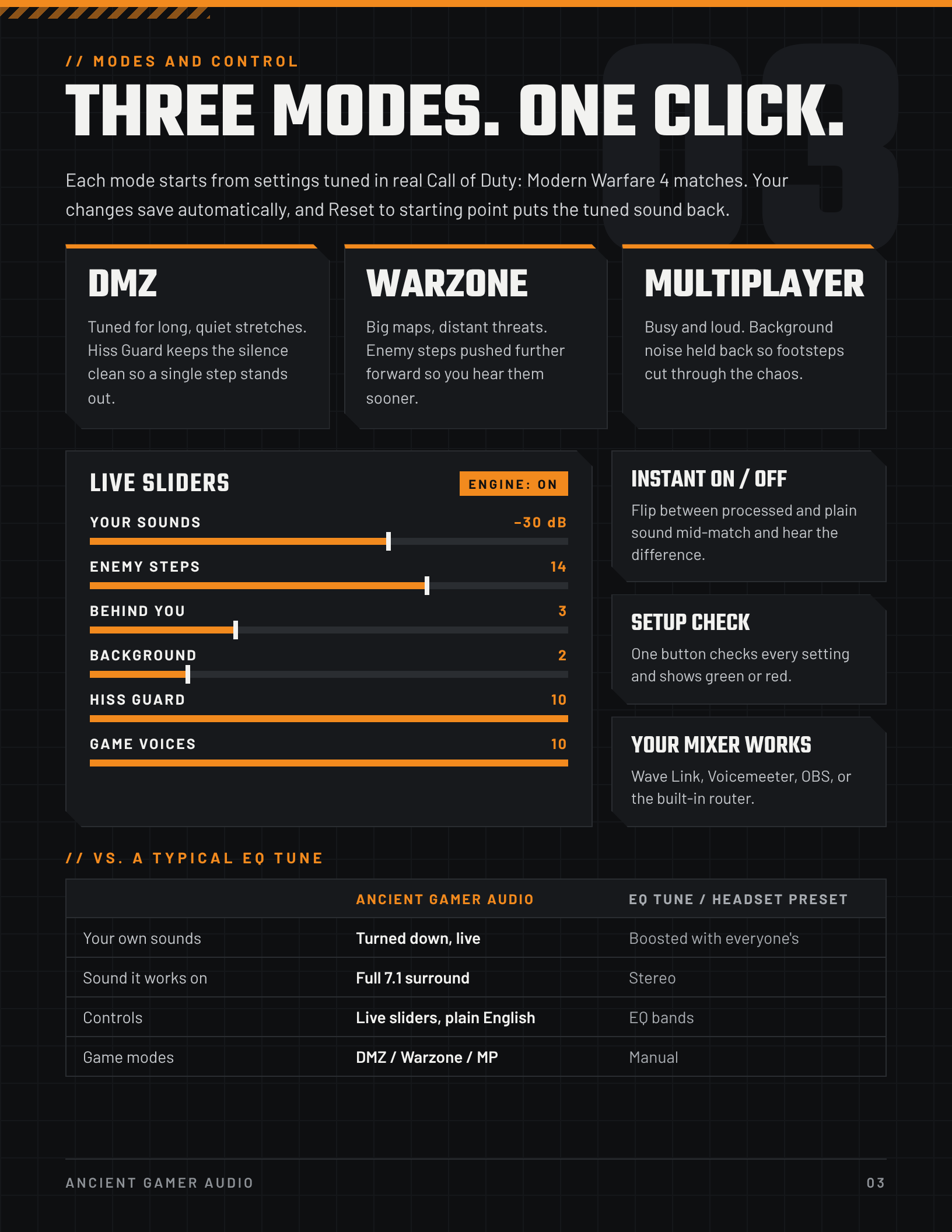
One click. Tuned in real matches.
DMZ
Tuned for long, quiet stretches. Hiss Guard keeps the silence clean so a single step stands out.
01Warzone
Big maps, distant threats. Enemy steps pushed further forward so you hear them sooner.
02Multiplayer
Busy and loud. Background noise held back so footsteps cut through the chaos.
03Each mode starts from settings tuned in real matches. Live sliders, instant on/off, and your changes save automatically.
Not a cheat. Never touches the game.
Ancient Gamer Audio never reads or changes the game, its files or its memory. It only shapes the sound after the game hands it to Windows, exactly like a headset app or an equalizer. Music, Discord and YouTube are left alone.
See it before you try it.
Up and running in one sitting.
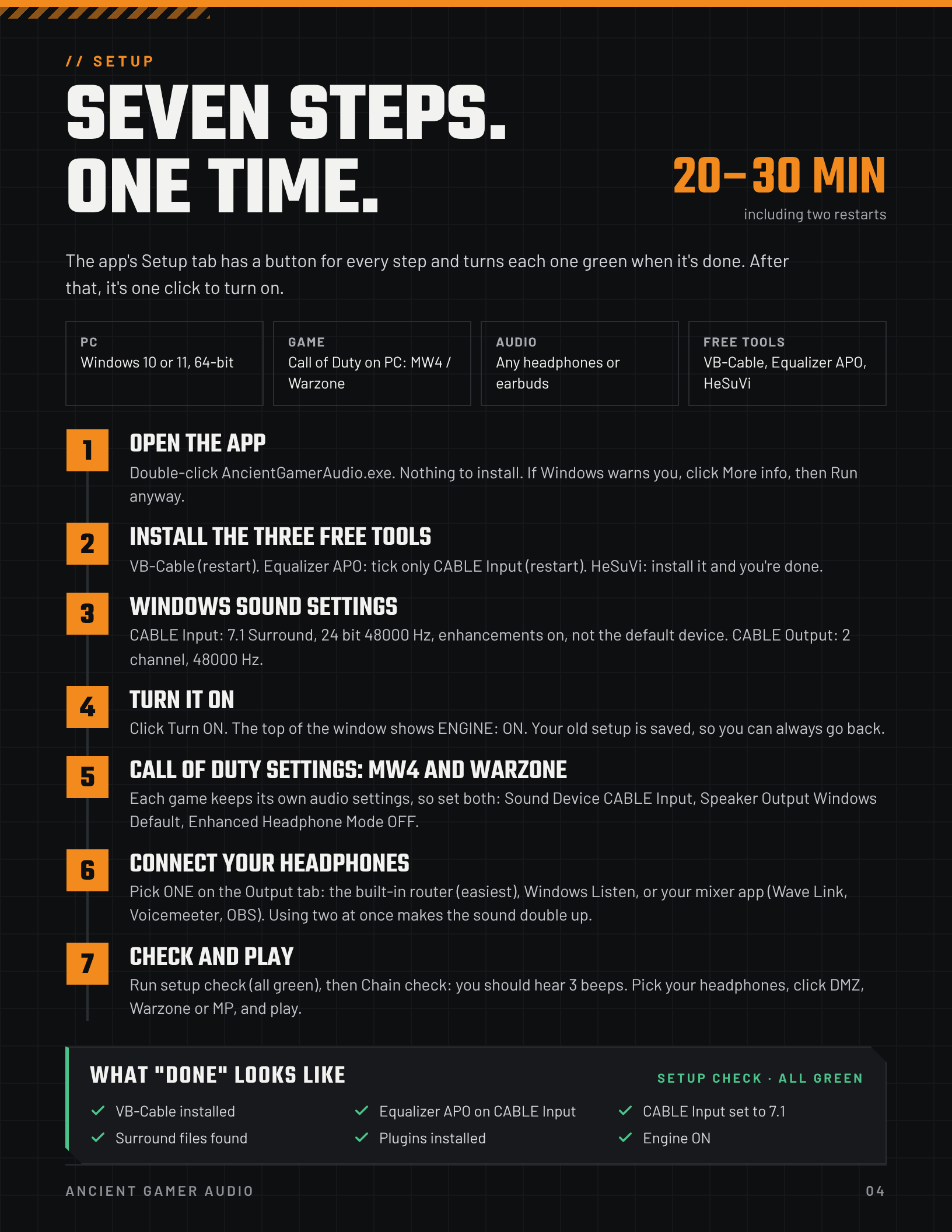
One-time setup takes about 20–30 minutes, including two restarts. The app's Setup tab walks you through every step and turns each one green.
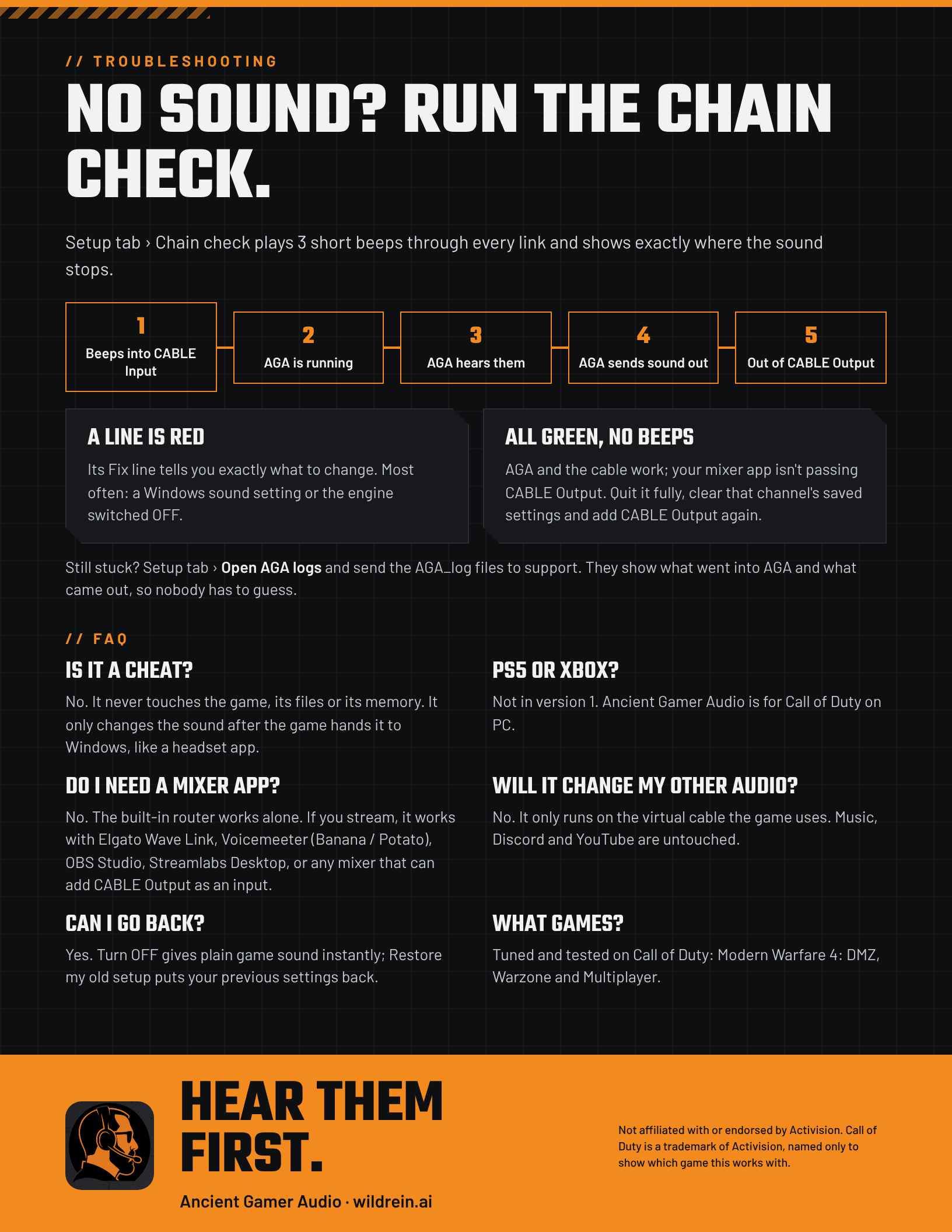
No sound? Setup tab → Chain check plays three beeps and shows exactly where the sound stops.
Start the free trial- DownloadYour link is on your order confirmation page, in your confirmation email, and under My Account → Downloads. Unzip it anywhere.
- Open AncientGamerAudio.exeNothing to install. If Windows warns you, click More info, then Run anyway.
- Follow the Setup tabIt installs and checks the three free tools, your Windows sound settings and your Call of Duty settings.
- ActivateLicense tab → enter the email you used at checkout → tick the License Agreement box → Activate this PC. Trials work the same way.
- PlayClick Turn ON, pick DMZ, Warzone or MP, and play.
What you need
- PC: Windows 10 or 11, 64-bit
- Game: Call of Duty on PC (Modern Warfare 4: DMZ, Warzone, Multiplayer)
- Audio: any stereo headphones or earbuds
- Free tools: VB-Cable, Equalizer APO and HeSuVi (installed during setup)
- Internet: to activate, then a quick automatic check-in about once a week
Free trial and refunds
- 3-day free trial: the full app, no payment needed, never turns into a charge. One trial per person and per PC.
- One-time purchase: $19.99 launch price until Dec 1 (regular $24.99), plus any applicable sales tax. No subscription.
- 14-day refund: email contact@wildrein.ai within 14 days of purchase with your purchase email. A refund deactivates the license.
- New PC? License tab → Deactivate this PC on the old one, then activate on the new one.
Questions, answered.
Is it a cheat?
No. It never touches the game, its files or its memory. It only changes the sound after the game hands it to Windows, like a headset app.
PS5 or Xbox?
Not yet. Ancient Gamer Audio is for Call of Duty on PC.
Do I need a mixer app?
No. The built-in router works on its own. If you stream, it also works with Elgato Wave Link, Voicemeeter, OBS Studio and Streamlabs.
Will it change my other audio?
No. It only runs on the virtual cable the game uses. Music, Discord and YouTube are untouched.
Can I go back?
Yes. Turn OFF gives plain game sound instantly, and “Restore my old setup” puts your previous settings back.
Stop dying to footsteps you never heard.
Try the full app free for 3 days. No payment needed, and it never turns into a charge.
 Ancient Gamer Audio is a WildRein AI company
License Agreement · Privacy Policy · contact@wildrein.ai
Ancient Gamer Audio is made by WildRein AI, LLC. Not affiliated with or endorsed by Activision. Call of Duty is a trademark of Activision, named only to show which game this works with.